From Shoebox to Sale-Ready.
No matter how messy the business is today, Service Biz Pro turns years of photos, paper invoices, lead sheets and receipts into a clean customer list, every job's photos and a full payment history. You'll see results from the first upload.
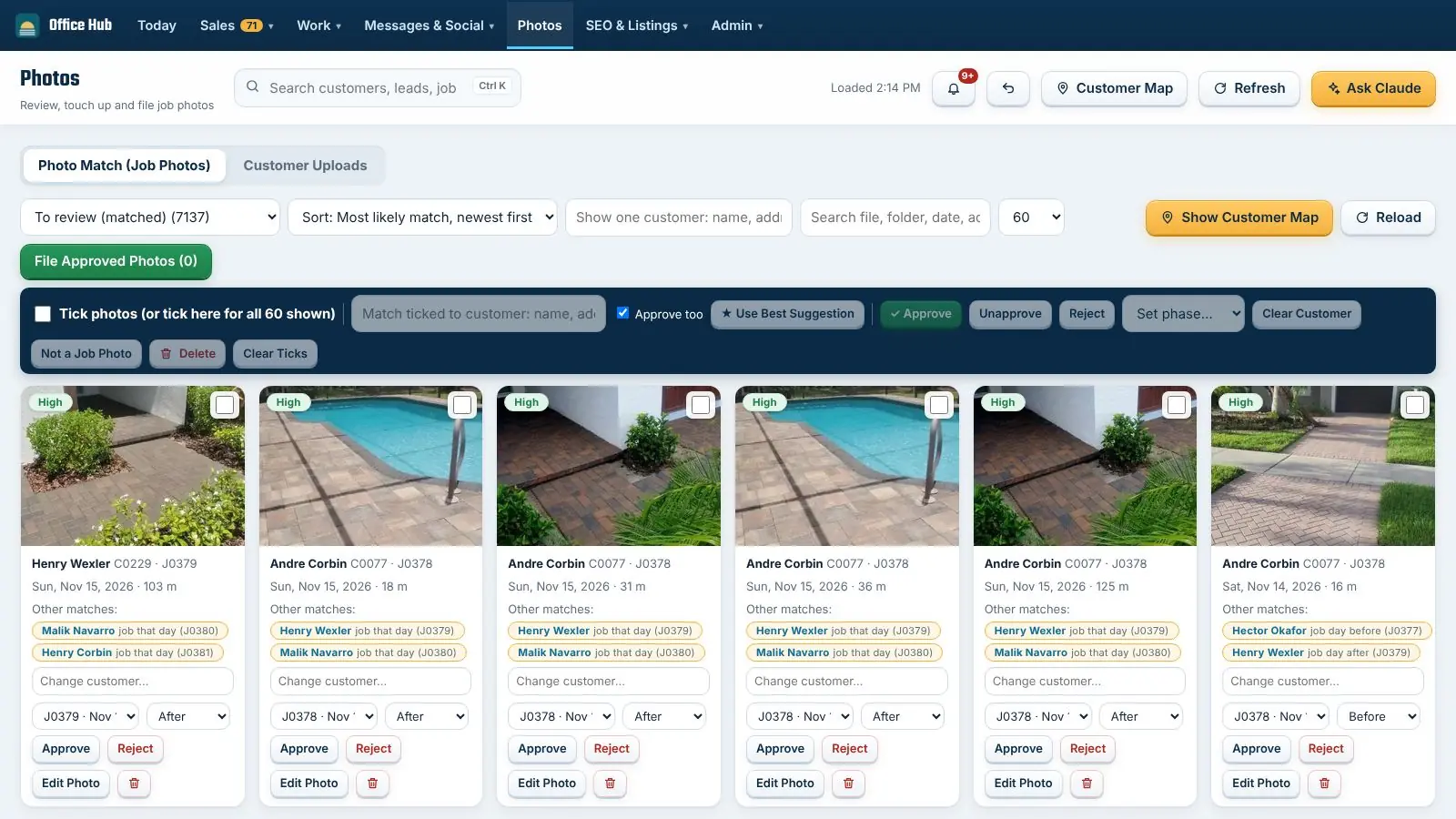
Photo Match in the demo office hub: thousands of old phone photos, each paired with the customer and job it belongs to.
Watch It Happen
Recorded in the live demo with a fictional company and sample data. Captions are in the Help Center article.
What Gets Organized
Photo Match
- Upload old phone backups, camera rolls, Google Photos exports and scanned prints
- Each photo is matched by its GPS location to your customer's address, then to the job by date, even photos from 10 or 15 years ago
- Every guess shows its reasons, so you approve a whole page at a time
- Approved photos are filed to each customer and tagged for SEO with the city, service and surface, so finished jobs become website pages, Google posts and social posts
- Every customer you've ever had gets their own page with their jobs and before and after photos, and every project gets a thank-you card with before and after shots
Scan Invoices
- Snap a photo of any old paper invoice or estimate in the crew app
- AI reads the customer, address, areas, square feet, price and payment
- It matches an existing customer or creates a new one, and saves a paid job or an estimate
- The original photo stays attached to the job for your records
Scan Leads
- Photograph a page of phone leads and every row becomes a lead
- Names, phone numbers and addresses are checked against customers you already have
- Follow-ups are drafted for you and wait for your OK
Money and Taxes
- Paid jobs, payment methods and check numbers in one list, by year and by service
- Ask Claude questions like "What did we make on pool decks last year?" from your own records
- Clean exports for your bookkeeping and your accountant at tax time
Before and After
Before
- Customer info spread across phones, notebooks and old invoices
- Job photos buried in camera rolls, mixed with family pictures
- No easy answer to "how much did we make last year, and from whom?"
- Repeat customers forgotten because nobody knew when they were due
After
- Every customer, address and phone number in one CRM
- Before and after photos filed to every job you've ever done, with a page and a thank-you card for every customer
- Revenue by year, service and city in seconds
- Reminders for every customer who's due, ready to send when you approve
Why It Matters When You Sell
Buyers pay for a business they can verify. Once your history is organized, the Sell-Ready plan can show buyers revenue, repeat customers and reviews pulled straight from your records.
- Day 1Import your customer list or spreadsheet, and start uploading photos.
- Week 1Photo Match pairs your backlog. Scan the stack of paper invoices and lead sheets.
- Month 1Reminders go out to past customers who are due, and new jobs flow in through the crew app.
- Month 3+Twelve months of clean records start to build: what buyers, lenders and accountants ask for first.
Results depend on how many photos and records you have and how they were saved. Photos without a date or location may need a quick manual match.